Liberego
An app to write a book on Windows
From the first character to the last chapter, keep your world and your manuscript together. Meet Liberego, try a new way of writing, and help build what comes next.
For now, Liberego runs on Windows.
Your writing stays on your computer.
All of this works in the development build, and it’s what you’ll be testing.
Your world and manuscript together
World, book, chapter and scene in a single structure. Characters, places and events live in the Codex; their names light up in the text as you write, and a card shows the entry without leaving the scene.
Writing without noise
Focus mode, continuous writing with the whole chapter or book on a single page, and version history with side-by-side comparison.
Your story from other angles
Scene board, plot grid and timeline, to rearrange chapters and keep track of plot threads.
Find what you wrote
Keyword search across the manuscript, the Codex, notes and references, plus meaning-based search that finds the scene even when you don’t remember the exact words.
An assistant that doesn’t write for you
It points out continuity issues, loose ends and the goal–motivation–conflict trio, and builds an outline from your manuscript. AI is optional, only reads a book with your permission and never changes the text of your scenes.
From draft to book
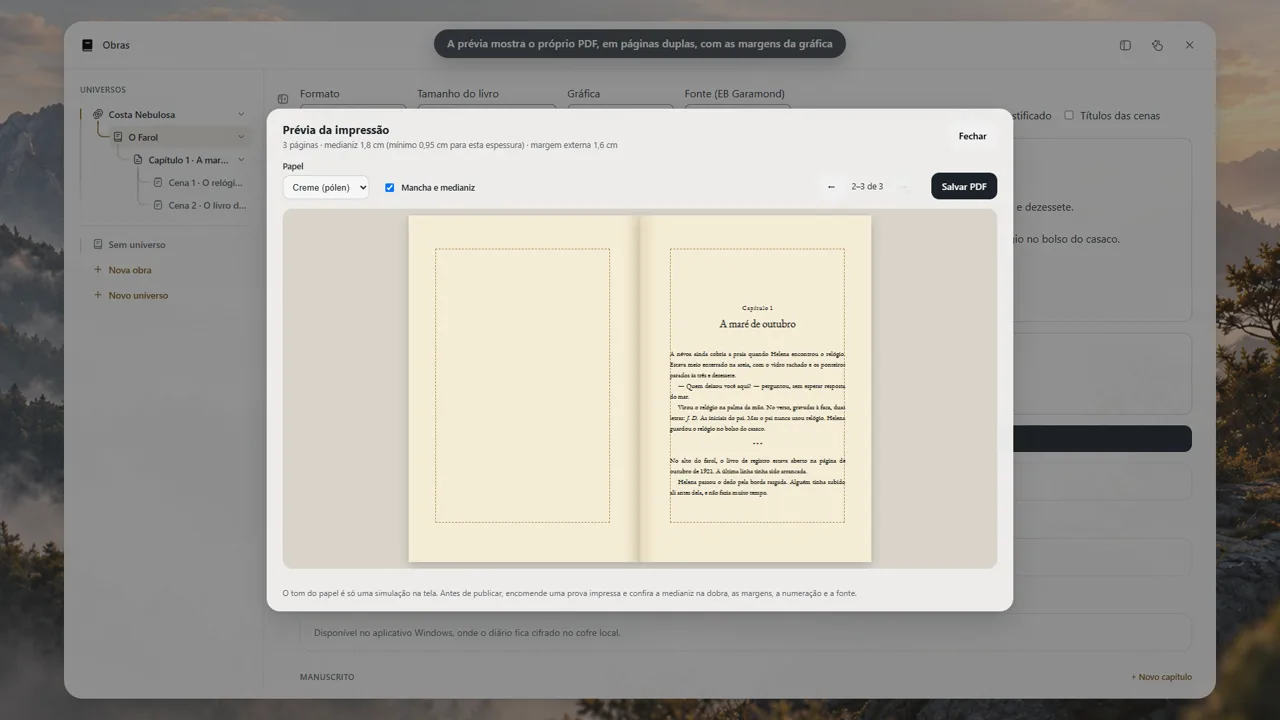
Export to EPUB, DOCX and PDF, plus a print-ready PDF typeset in EB Garamond, with a two-page spread preview.
Your story stays with you
An encrypted vault on your computer, with no account required. Sync through a folder you choose, daily backups and one-click updates.
Questions about Liberego
Which system does Liberego run on?
For now, Liberego runs on Windows. Beta testing is the road to the public release.
Where is my writing stored?
On your computer. Your books are kept in an encrypted vault, with no account required.
How do I get to test it?
Join the list with your name and email. When the round opens, the invitation arrives by email with a link to download the test build for Windows.
For now, Liberego runs on Windows.